Hi, everyone! My company is new to Braze and we are running into a bug with our HTML email templates.
We have created footer HTML block that we add to the bottom of our emails. This is saved as a content block. We also have uploaded the HTML for the body of the email that we are building directly into an email template, and we are adding the footer block to that.
When I add the content block of the footer, the footer block's format is getting messed up on mobile. We are seeing extraneous white lines and the text being stacked vertically. Photos attached.

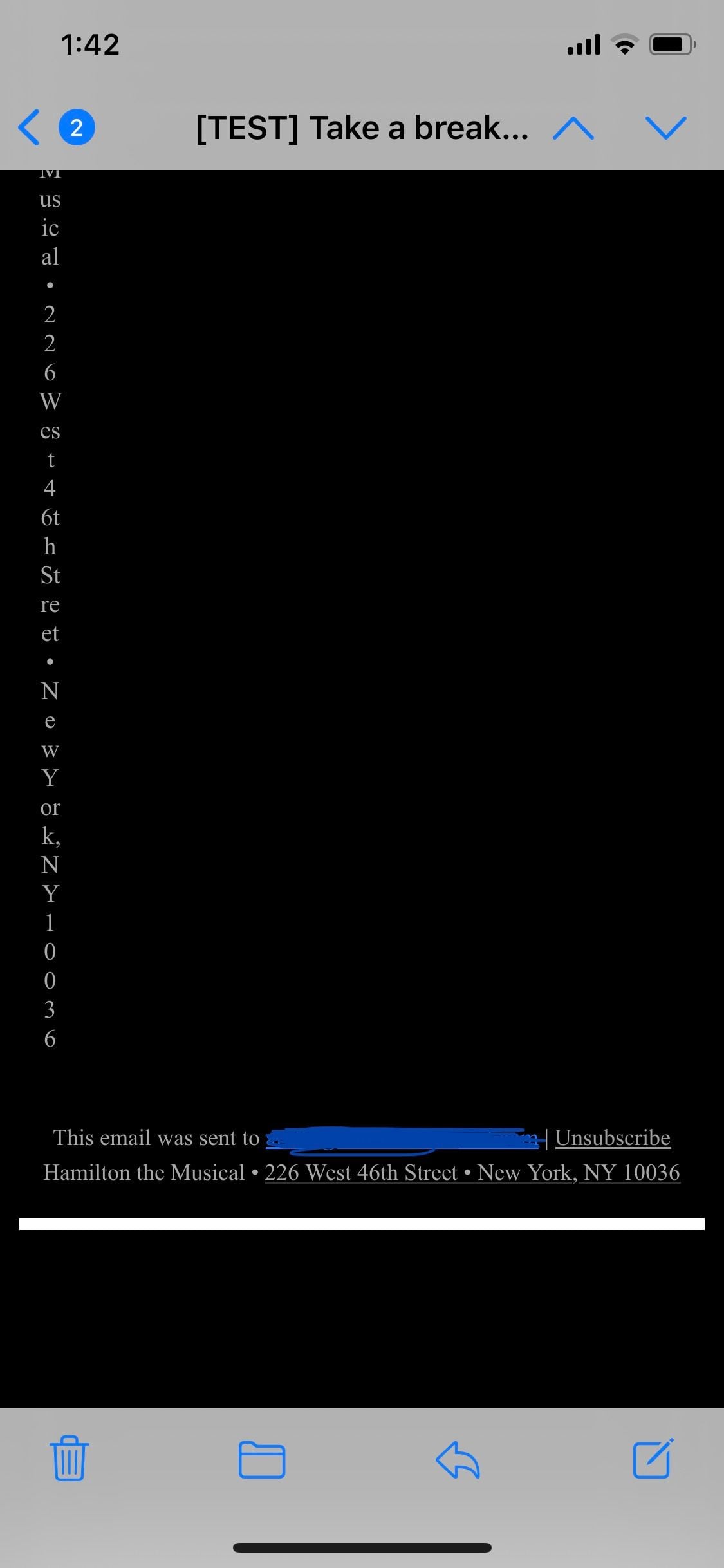
The HTML is optimized for mobile and desktop. When I built a new email template without the body of that email and added the footer block, this error did not occur. When I tried uploading the body of the email as a content block and then building the email template with two content blocks (the body + footer), the issue did occur. What's strange is that when we re-uploaded the HTML to Braze with both the email body and the HTML of the footer, there were no issues. It was the exact same HTML code. We also tried uploading the HTML code to other email platforms (e.g. Mailchimp) and didn't see any issues, so we don't think it's a code error.
Has anyone seen this bug? Any way to fix so we can use the footer block properly?