β“˜ Changes are on the way!
Braze Bonfire is read-only from April 6–April 13, 2026. 

Braze Bonfire is getting an upgrade. From April 6 through April 13, 2026, Bonfire will be read-only while we tinker behind the scenes to improve your experience in the community. Read more.

Google Tag Manager

Forum Discussion

f_hengstmann's avatar
f_hengstmann
Collaborator
3 years ago

Mail shows web AND mobile mail components

Dear all,

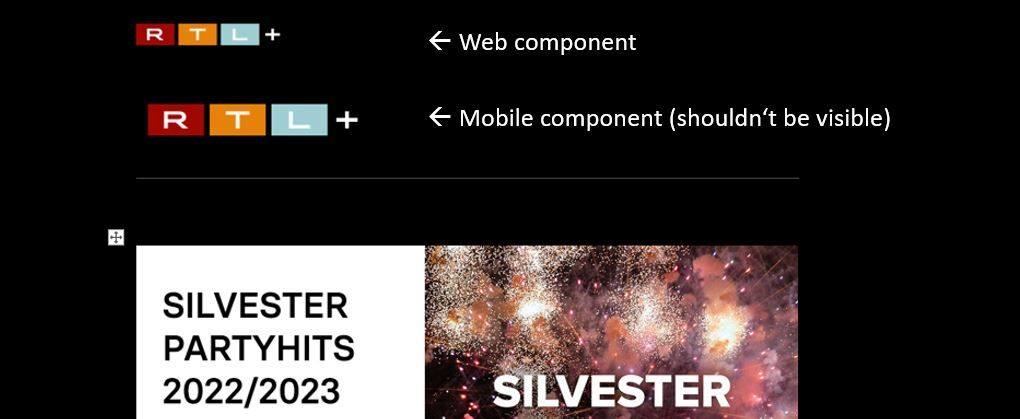
we discovered that when one of our Drag & Drop created mails are forwarded to other persones, the mobile components suddenly become visible in the template (as you can see in the photo). As well we heard from customers that this is the case when someone opens the mailbox in a mobile browser client and switches the phone to horizontal view.

s there any experience with that problem? We see this mail behaviour for about half a year now. Before there was no problem... maybe an HTML expert could us help on that. Thank you!

1 Reply

  • Hey! Forwarding an email is always a problem. The email provider exports the HTML and some CSS properties might not be working correctly. This is something you can't perfectly prevent.

    Hiding elements for mobile and desktop is also a bit difficult because it doesn't work for some email clients. As I know, Braze hides the elements based on the screen width - that's the reason why it becomes visible when the user rotates their phone. I would recommend not using the hide function for logos. Instead, use percentage width or a fixed width. Maybe someone else has a better solution for that πŸ™‚ .